
The business case is real. Only 20% of shippers report being satisfied with shipment visibility, and 39% of shippers and 36% of 3PLs now use AI specifically to automate repetitive, mundane tasks. The technology is no longer experimental — C.H. Robinson's AI agents had performed over 3 million shipping tasks by 2025, including tracking updates powered by data from 37 million annual shipments.
This guide is written for freight brokers, dispatchers, and logistics ops teams. It covers what AI callers actually do in a brokerage context, how they connect to a TMS, the step-by-step integration process, and how to validate that both driver and customer call flows are working before you go live on active loads.
Key Takeaways
- A single TMS integration powers two distinct AI caller workflows: driver check-ins and customer status updates
- Integration relies on API connections, webhook triggers, and call script configuration, not custom development
- Prerequisites: active TMS API access, defined load event triggers, and mapped call scripts
- Common failure points include authentication errors, data sync delays, and NLP mismatches — each with a straightforward fix
- Validate driver and customer call flows independently before deploying on live loads
What AI Callers for Drivers and Customers Actually Do
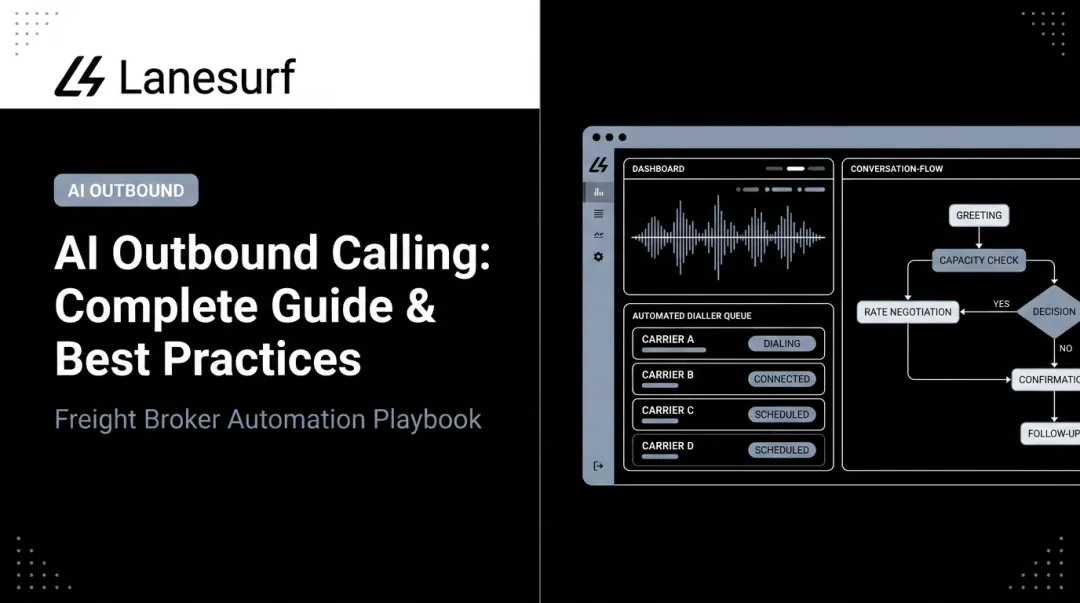
An AI caller in a freight brokerage is a voice automation layer that uses natural language processing to conduct structured phone conversations on behalf of the brokerage — handling predictable, high-volume interactions without dispatcher involvement.
Driver-Facing Call Workflows
The core use case is eliminating the manual check-call cycle. AI callers handle:
- Pickup and delivery confirmations — automated calls to confirm a driver is on track at key load milestones
- En-route status requests — collecting real-time location and status while the load is moving
- ETA confirmations — contacting drivers directly when delivery windows are approaching or require verification
- Delay verification — when a potential exception is detected, the AI contacts the driver to capture root-cause context before escalating to a dispatcher

LaneSurf's AI Driver Follow-Up & Check-Call Automation handles these workflows via voice and text. Operations teams typically spend 1–2 hours per rep per day on manual driver check-calls — that's the capacity this automation frees up.
Customer-Facing Call Workflows
On the customer side, AI callers shift the dynamic from reactive to proactive:
- ETA updates triggered when load status changes in the TMS
- Delay notifications pushed to customers when a shipment falls behind schedule
- Delivery confirmations once the load is marked complete
Inbound "where is my freight?" calls are a symptom of poor proactive communication, not a genuine service need. Automated outbound status calls eliminate most of them before they happen.
Why TMS Integration Is Non-Negotiable
Without live load data, an AI caller can only run generic scripts. It cannot read back an accurate load number, confirm a specific delivery window, or tell a customer when their freight will arrive.
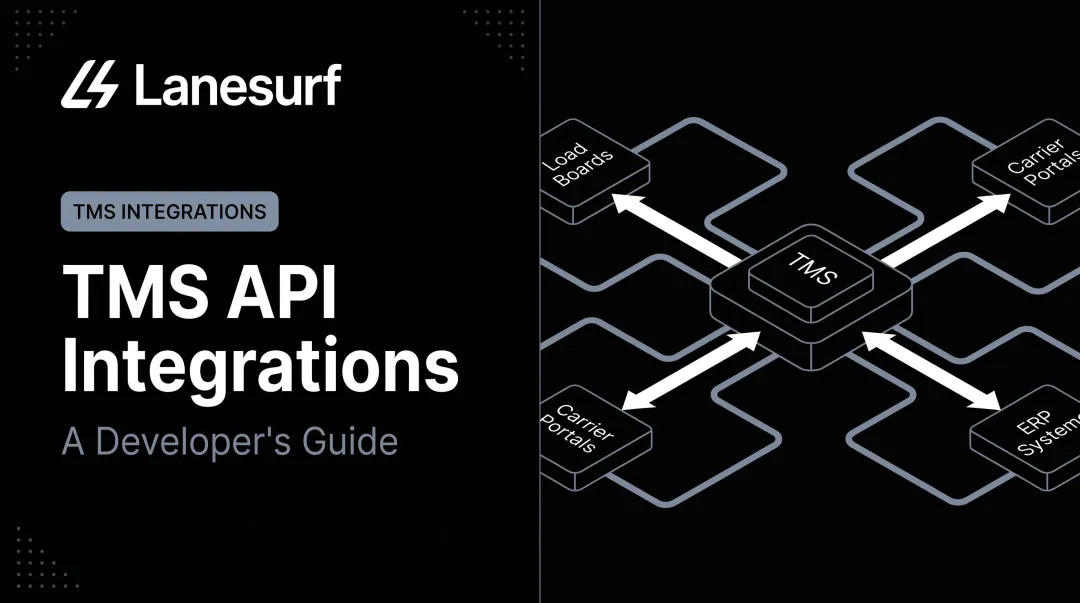
The TMS is the data source. Load status events — pickup confirmed, in transit, delayed, and delivered — act as triggers that tell the AI caller when to initiate a call and what information to pull into the conversation. That live connection is what separates a functional automation layer from a generic script running on a schedule.
TMS Integration Guide for AI Callers
Integration follows a defined sequence: environment check → API connection → trigger mapping → script configuration → test runs → live deployment. Skipping trigger mapping or script testing is where most setups break down.
Prerequisites and Compatibility Checks
Before connecting anything, confirm:
- TMS has API access enabled — most modern platforms (McLeod, MercuryGate, Tai, Turvo, Revenova, Aljex, Tailwind) expose REST APIs or webhooks for load events. MercuryGate, for example, uses RESTful endpoints secured with OAuth2 access and refresh tokens, including a dedicated Status Update API. Tai's webhook documentation shows real-time shipment status events including
DispatchedandInTransit, with a noted 1-minute delay after the last load change. - Webhook vs. polling — confirm whether your TMS supports real-time webhook pushes or requires polling. This affects how quickly the AI caller receives updated load data. Webhooks are faster; polling introduces lag.
- Data field compatibility — verify the AI caller platform can map to your TMS's specific field names for load number, driver phone number, customer contact, pickup/delivery times, and current load status. Field name mismatches are a common cause of failed call triggers.
Non-negotiables before you proceed:
- Active API credentials with the correct permission scope
- A defined list of load events that should trigger calls
- Completed call scripts for at least driver check-in and customer ETA notification workflows
Integration Steps
Step 1 — Authenticate the connection
Generate an API key or OAuth credentials from your TMS (note the exact permission scope required) and enter them into the AI caller platform's integration settings. Confirm the connection is live and returning test data before moving forward.
Step 2 — Map load event triggers
Define which TMS events trigger which call type. Standard mappings:
| TMS Load Event | AI Caller Action |
|---|---|
| Load pickup confirmed | Driver check-in call |
| Estimated delivery window approaching | Customer ETA call |
| Load status changes to delayed | Customer delay notification |
| Load marked delivered | Delivery confirmation call |

Step 3 — Configure call scripts per workflow
Build separate scripts for driver-facing and customer-facing calls. Driver scripts should pull load number, pickup/delivery details, and driver contact from TMS fields. Customer scripts should pull ETA, load number, and carrier name. LaneSurf's platform comes with pre-built freight brokerage communication workflows that map directly to common TMS load fields, which reduces this step considerably.
Step 4 — Set escalation rules
Define what happens when the AI caller cannot reach a driver or customer: retry intervals, maximum contact attempts, and the threshold at which the call is flagged for a human dispatcher. Match this configuration to your SOPs before going live.
Post-Integration Validation
Once all four steps are complete, run a test cycle using a dummy load or a controlled live load before touching production traffic:
- Confirm the driver check-in call fires at the correct mapped load event
- Verify the AI reads back accurate load data (not blank or mismatched fields)
- Check that call outcomes (confirmed, no answer, escalated) log back into the TMS load record
Then test the customer notification flow separately — confirm ETA calls use the correct customer contact from the TMS, and that delivery confirmations are captured.
Signs the integration is working:
- Calls fire at the right events, not randomly or late
- Scripts read accurate data from TMS fields
- Call outcomes appear in TMS load records
Signs something is broken:
- Calls trigger at wrong events or not at all
- Scripts read blank or incorrect fields
- No outcome data writes back to the TMS
Resolve any of these before full deployment. Unvalidated trigger mappings on live loads create missed check-calls, incorrect customer notifications, and gaps in your TMS load records — exactly the problems the integration is meant to eliminate.
Common Integration Problems and Fixes
AI caller TMS integration issues almost always trace back to one of three root causes. Each has a clear fix.
Authentication Failures
The AI caller fails to connect to the TMS entirely — calls don't trigger. The usual culprits are an expired API key, incorrect permission scope, or missing IP whitelisting in the TMS admin panel.
To resolve:
- Regenerate the API key with the correct permission scope
- Verify IP whitelisting settings in the TMS admin panel
- Re-enter credentials in the AI caller platform and run a connection test before going live
Data Sync Delays Causing Late or Missed Calls
AI calls trigger well after the load event occurs, leaving drivers and customers with outdated information. This almost always means the integration is using polling instead of real-time webhooks. Tai's public webhook documentation, for example, notes a built-in 1-minute delay after the last shipment change. Location updates only push if the previous update was more than 15 minutes earlier — polling-based setups stack on top of that lag.
To resolve:
- Switch to webhook-based push notifications where your TMS supports them
- If polling is unavoidable, reduce the interval to the minimum your TMS allows
- Configure call scripts to pull live ETA data at call time, not when the trigger first fires
AI Caller Mishandling Driver or Customer Responses
The AI fails to understand driver replies — short confirmations, freight jargon, or unexpected phrasing — and either loops or escalates unnecessarily. Default NLP models aren't trained on freight-specific language, and most out-of-the-box call scripts lack fallback paths for ambiguous responses.
To resolve:
- Pull transcripts from failed calls to identify the exact phrases causing breakdowns
- Update intent recognition settings with freight-specific terminology
- Add fallback script branches that confirm unclear responses before escalating, rather than immediately routing to a dispatcher

Pro Tips for a Successful Integration
- Pilot on one load type first. Run the integration on a single lane or load category before activating it across all loads. This limits the impact of misconfigured triggers and lets you refine scripts on real interactions before scaling.
- Keep driver and customer scripts separate. Even if your platform supports blended workflows, the tone, data fields, and escalation logic for a driver check-in are fundamentally different from a customer ETA notification. Mixing them creates script errors that are nearly impossible to diagnose.
- Document every integration setting. Record API key labels, trigger-to-call mappings, script versions, and escalation rules in a shared internal doc. When something breaks — and something will — this record cuts troubleshooting time in half and gives any support team a concrete place to start.
Conclusion
Integrating an AI caller with your TMS is one of the most operationally direct improvements a freight brokerage can make. The two workflows it automates — manual driver check-calls and reactive customer status calls — are among the most time-consuming and least value-generating tasks in a dispatcher's day. With the right setup, both run automatically, load data stays accurate, and your team handles exceptions rather than routine touchpoints.
Treat the integration as a configured system, not a one-time task. As load volumes grow or customer requirements change, revisit your trigger mappings and call scripts. A practical quarterly review covers the core maintenance points:
- Trigger mappings — confirm status events still match your TMS field structure
- Call scripts — update phrasing if customer SLA language or escalation thresholds have changed
- Exception rules — verify delay tolerances reflect current lane performance and customer expectations
Keeping these three elements current ensures the system continues running the way you configured it, not the way your operations looked six months ago.
Frequently Asked Questions
What is an AI-powered TMS?
An AI-powered TMS is a transportation management system that uses machine learning or AI automation to handle core functions — load planning, carrier selection, route optimization, and communications — rather than relying on static rules. The distinction matters: native AI assistance versus a legacy system with bolt-on tools added after the fact.
How does an AI caller connect to a TMS?
AI callers connect via API credentials or webhooks. The TMS sends load event data — pickup confirmed, delayed, delivered — to the AI caller platform, which uses that data to trigger and populate the correct call script for the driver or customer. Most modern TMS platforms, including McLeod, MercuryGate, Tai, and Turvo, support REST APIs or webhook-based event pushes for this purpose.
Can AI callers handle both driver check-ins and customer updates from the same integration?
Yes — a single TMS integration can power both workflows. Driver-facing and customer-facing calls should use separate trigger mappings and scripts, since the data fields, conversation logic, and escalation rules differ between a driver check-in and a customer ETA notification. Keeping them separate prevents script conflicts.
What TMS platforms support AI caller integration?
LaneSurf natively integrates with McLeod, MercuryGate, Tai, Turvo, Revenova, Aljex, and Tailwind TMS. Beyond those, any platform with REST API access or webhook support can integrate. The key compatibility requirement is whether your TMS can push real-time load event data and whether the AI caller platform can map to your TMS's specific data fields.
How long does it take to integrate an AI caller with a TMS?
LaneSurf completes full TMS integration in under 10 days for all supported platforms. A fast-start option is also available — submit an Excel export of current loads and the AI agent begins working in parallel while the formal integration completes, so there's no operational gap during setup.
What happens when an AI caller cannot resolve a driver or customer interaction?
LaneSurf's platform auto-escalates unresolved interactions to a live dispatcher, logging the attempt and escalation reason, and retrying contact per defined intervals. The human team member receives full context at handoff, so no load goes unmonitored regardless of what triggered the escalation.