
Introduction
Running a freight brokerage means living inside your inbox. Between load tenders, rate confirmations, check calls, pickup alerts, and POD requests, a single coordinator managing dozens of active loads can easily field hundreds of carrier emails before noon. According to FreightWaves, manual processes remain deeply embedded across brokerage back offices — with only 2% of brokerages achieving full accounts payable automation, and nearly half still handling invoice review manually.
Most of that manual burden runs through email. For brokerages trying to grow without proportional headcount increases, carrier email management is typically the first place capacity runs out.
This article covers which carrier emails are best suited for automation, how to build trigger-based workflows around them, and where AI takes this further. The goal: more loads covered per rep, without the burnout that comes from doing it all manually.
Key Takeaways
- Email automation reduces manual carrier communication across the full load lifecycle, from tender to POD
- Trigger-based workflows eliminate response delays and missed follow-ups that cost brokers loads and carrier relationships
- AI-powered tools draft, route, and prioritize carrier emails in real time — cutting response times on high-volume lanes
- TMS integration is essential: automation that can't pull live load data replaces one manual task with another
Why Carrier Email Management Is a Bottleneck for Freight Brokerages
The Volume Problem
A brokerage managing 50 active loads isn't dealing with 50 email threads — it's dealing with hundreds. Every load generates multiple touchpoints: the initial tender outreach, rate negotiation back-and-forth, booking confirmation, in-transit check calls, exception alerts, and POD requests.
Multiply that across an active load board and you have a constantly refreshing stream of carrier communication that no coordinator can stay on top of manually.
LaneSurf's operational data puts this in concrete terms: carrier sales reps typically run 50–150 outbound carrier contacts per day, with brokerage phones ringing 200–800 times daily across the team. Email is one of several high-volume channels running simultaneously, and unlike a phone call, an unanswered email doesn't announce itself the way a ringing phone does.

The Cost of Missed Emails
The damage from slow carrier email responses isn't abstract:
- Miss a load tender window and you've lost the load
- Delay a rate confirmation follow-up and a verbal commitment evaporates
- Skip a check call email and a shipper reaches you before you know there's a problem
Speed and consistency in carrier outreach directly determine how many loads a brokerage covers. When those slip, revenue slips with them.
The Scalability Ceiling
Manual email management creates a hard ceiling on coordinator capacity. When each rep is spending 4+ hours per day on outbound carrier communication — email, phone, and text combined — there's simply not enough time left to work more loads without hiring more people.
This is the core case for email automation: automate the repetitive carrier touchpoints and your existing team can cover a significantly larger book of business without adding headcount.
Key Types of Carrier Emails Freight Brokers Can Automate
Not all carrier emails are worth automating. High-volume, templatable touchpoints are the right starting point — the repetitive ones where manual effort adds no value and errors cost coverage.
Load Tender Outreach Emails
Automated outreach targets pre-qualified carriers matching a load's lane, equipment type, and timeline, with details pulled directly from your TMS. Instead of a coordinator manually copying origin, destination, pickup windows, and commodity into individual emails, the system populates that data and fires outreach to multiple carriers simultaneously.
LaneSurf's AI Carrier Sales Agent runs this in parallel across voice, email, and text using load context from your TMS (McLeod, MercuryGate, Tai, Turvo, Revenova, Aljex, Tailwind). The result: 10–50× more carriers contacted per hour compared to manual rep workflows.
Rate Confirmation and Booking Emails
Once a carrier accepts a load, rate confirmation emails should be generated and delivered immediately rather than waiting for a coordinator to free up. Automated rate confirmations eliminate the back-and-forth that delays coverage and confirm verbal commitments in writing before they fall through.
LaneSurf's load management workflow includes document handling for rate confirmations, BOLs, and PODs as part of the automated load lifecycle , triggered by booking events rather than manual initiation.
Check Call and Status Update Emails
Automated emails at defined intervals replace manual dispatcher check calls:
- Day before pickup confirmation
- Day-of pickup alert
- In-transit status check
- Pre-delivery notification
These can be sequenced using time-based triggers tied to pickup and delivery windows, ensuring load visibility without consuming coordinator time on routine follow-ups.
Exception and Delay Notification Emails
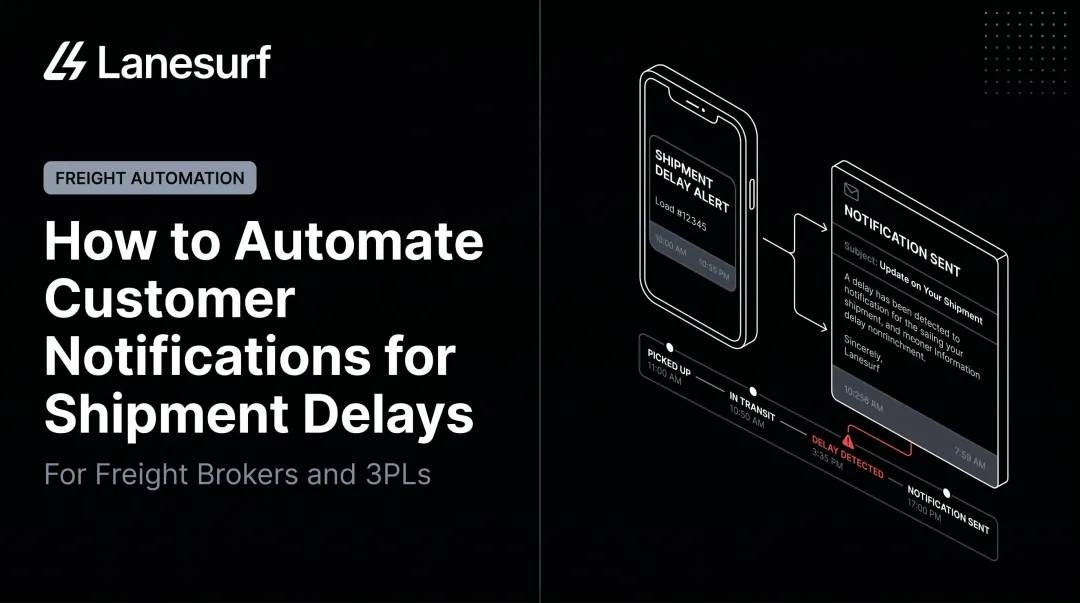
When tracking data signals a missed pickup, delay, or route deviation, the system alerts the relevant carrier and internal ops team immediately with situational context, not just a status flag. LaneSurf's exception management contacts the driver directly via voice or text to capture that context before routing the escalation to the appropriate team member. The result is a documented escalation path instead of an ad hoc scramble.
POD Requests and Invoicing Trigger Emails
Automated proof-of-delivery request emails upon confirmed delivery complete the load lifecycle without manual intervention. LaneSurf supports EDI 214 (shipment status/delivery confirmation) and EDI 210 (carrier invoice) automation delivery confirmation can directly trigger the carrier invoicing workflow, accelerating payment cycles for both brokers and carriers.
How to Set Up an Automated Email Workflow for Carrier Operations
Map Every Carrier Touchpoint First
Before touching any software, map your load lifecycle on paper. Identify:
- Every trigger event — load booked, pickup confirmed, in-transit, delivered
- The corresponding email that should fire at each stage
- Who receives it — carrier, ops team, shipper, or all three
- The follow-up logic — what happens if there's no response within your SLA window
This mapping work is what separates working automation from a collection of ad hoc rules that break down at volume. Skip it, and you'll spend more time troubleshooting edge cases than you saved.

Segmenting Your Carrier Base for Smarter Automation
Asset carriers, owner-operators, and spot market carriers communicate differently. Asset carriers on dedicated lanes expect formal tender language. Owner-operators respond faster to direct, concise outreach.
Spot carriers sourced off a load board have different follow-up cadences than a contract carrier who already knows your freight — and your automation rules need to reflect that.
Segmenting your carrier base before building automation rules lets you tailor trigger timing, template language, and follow-up sequences by carrier type. One-size-fits-all messaging works against you. A follow-up that's appropriate for a cold spot carrier looks aggressive to a preferred asset partner.
A simple three-tier segmentation gets most brokerages 80% of the way there:
- Contract/asset carriers — formal tone, longer SLA windows, fewer follow-ups
- Owner-operators — direct and concise, faster follow-up cadence
- Spot market carriers — high-touch sequences with tighter escalation timers
Building Trigger-Based Rules and Templates
In practice, trigger-based rules work like this: a load event occurs in your TMS (for example, "carrier assigned"), an email rule fires, and a pre-built template populates with shipment-specific data — reference number, origin, destination, pickup window, commodity type.
Automation at scale doesn't mean impersonal — it means consistent and fast. A well-built template that pulls live load data looks more professional than a manually written email dashed off between calls.
SLA-based follow-up sequences are equally important:
- Load tender sent → no response within 2 hours → automated follow-up fires
- Still no response → load flagged for manual escalation
- System maintains context across follow-ups so carriers aren't re-sent information they already have
This follow-up logic is what closes the coverage gap. Getting the first email out faster means nothing if a missed response still leaves a load uncovered — the sequence has to run all the way through escalation.
The Role of AI in Freight Brokerage Email Automation
Beyond Rule-Based Triggers
Rule-based automation is valuable but limited: it fires predefined emails when predefined events occur. AI goes further by generating context-aware messages that incorporate load history, carrier performance data, and lane-specific pricing.
According to McKinsey, generative AI can reduce lead time for producing supply-chain documentation by up to 60%, including auto-generating order and transfer documentation. In a freight brokerage context, this translates to faster tender messages, negotiation responses, and exception updates — all personalized to the specific carrier and load rather than pulled from a static template.
LaneSurf's AI generates carrier outreach using lane-specific pricing thresholds, TMS load context, and your brokerage's SOP-tuned tone configuration. The AI holds firm on negotiated rate parameters and adjusts messaging based on what stage of the booking cycle it's in, not just what the template says.
AI Triage and Routing
FreightWaves reports that AI systems can handle bulk carrier communications while escalating complex problems (like a reefer shipment flagging a temperature deviation) to human brokers. This is AI triage in action: the system classifies incoming carrier emails by type (confirmation, counter-offer, exception, delay) and routes or auto-responds based on predefined logic.
During high-volume periods, this routing capability covers gaps that manual inbox monitoring can't. A coordinator fielding calls can't simultaneously triage 40 incoming carrier emails. An AI system handles that volume without the bottleneck.
The Convergence of Email and Call Automation
High-performing brokerages don't run email automation and call automation as separate systems. They connect both channels so context flows between them. LaneSurf is built for exactly that: the AI Carrier Sales Agent manages outbound and inbound carrier communication across voice, email, and text simultaneously, with context retained across follow-ups within the same load cycle.
That means if a carrier doesn't respond to an email, the system doesn't just send another email. It pursues the carrier across channels in parallel. And when a carrier does respond, that context carries forward into subsequent interactions regardless of channel.
Choosing the Right Email Automation Software for Your Brokerage
Key Evaluation Criteria
Not all automation tools are built for freight. Generic email marketing platforms fail quickly in a brokerage context because they lack the load-data awareness and carrier-specific logic the work requires.
Evaluate tools on:
- TMS integration depth — Can it pull load events directly from your TMS, or does it require manual data entry?
- Template personalization — Does it populate shipment data (reference numbers, origins, destinations, pickup windows) automatically?
- SLA tracking and follow-up sequencing — Can you define response windows and trigger escalations when carriers don't reply?
- Shared visibility — Can multiple coordinators see carrier email thread status without duplicating outreach?
- Bidirectional sync — Do carrier email responses update load status back in your TMS?

Without TMS integration, the automation looks functional on the surface — but a parallel manual data-entry workflow runs underneath it, defeating the purpose entirely.
Email-Native Tools vs. Integrated Platforms
Email-native automation — built around the inbox your team already uses — drives higher adoption than standalone portals that require behavioral change. For brokerages that need to go beyond email — handling voice, text, and load lifecycle management in one place — an integrated platform offers more complete coverage across the entire carrier operation.
LaneSurf sits in the latter category: a platform that handles voice, email, and text across the full load lifecycle, with TMS integration completing in under 10 days and platform onboarding in under 48 hours. Brokers who aren't ready for TMS integration can start immediately via an Excel-of-loads fast-start while the integration completes.
Common Integration Pitfalls to Avoid
FreightWaves notes that implementation costs and integration complexity are the primary adoption barriers for brokerage automation — particularly for smaller operators on thin margins.
Watch out for:
- Missing bidirectional TMS sync — without write-back capability, carrier responses don't update your TMS, so your team ends up managing two systems manually
- No carrier-specific contact management — generic B2B outreach tools weren't built for MC numbers, COI tracking, or carrier compliance workflows
- Deliverability failures at volume — bulk senders exceeding 5,000 daily messages to Gmail addresses must meet SPF, DKIM, and DMARC requirements and stay below a 0.3% spam rate; freight-specific platforms handle this by default, generic tools typically don't
- Freight-agnostic trigger logic — tools that don't recognize load events or shipment stages require constant manual overrides to stay accurate
The right tool shouldn't require your team to work around it. If a platform needs heavy customization before it understands what a pickup window or an MC number is, that complexity compounds fast at scale.
Frequently Asked Questions
What email providers offer auto forwarding?
Gmail, Outlook, and all major providers support built-in forwarding rules. For freight brokerage, though, basic forwarding just redirects emails to another inbox. It doesn't trigger carrier workflows or route based on load context. Freight-specific automation paired with TMS integration delivers the operational value basic forwarding can't.
What is the best freight forwarding software?
The best platform depends on brokerage size and workflow complexity. Core capabilities to prioritize: TMS integration, automated carrier communication, load tracking, document management, and AI tools for scaling without adding headcount. LaneSurf is built around all of these in a single platform.
What types of carrier emails should freight brokers automate first?
Start with load tender outreach and rate confirmation emails. These are the highest-volume, most repetitive touchpoints — and the ones where delays carry direct operational risk. Once those workflows are running, move on to exception management and check-call automation.
How does email automation help freight brokers handle more loads?
By eliminating repetitive manual drafting — tenders, confirmation follow-ups, check calls — automation frees coordinators to manage a larger active load count per person. LaneSurf customers report 4+ hours of manual effort saved per rep per day, which in a typical load cycle translates directly to more loads worked without additional staff.
Can freight forwarding email automation work without replacing existing carrier communication tools?
Yes. The best automation solutions sit on top of your existing TMS and email workflows rather than replacing them, adding trigger logic, templates, and SLA tracking. Carriers and shippers don't need to change how they communicate with you.