
According to FreightWaves, 68% of freight brokerages experienced financial stress in 2025, with manual workflows cited as a key contributor to operational drag. ETA alert platforms directly attack one of the most persistent sources of that drag: manual check-calls and reactive delay discovery.
This guide covers what freight tracking platforms with ETA alerts actually are, how they generate and deliver alerts, which features matter most, and how to choose the right one for your operation.
Who this is for: Freight brokers, 3PLs, and logistics companies managing multiple active loads who need scalable visibility without adding headcount.
Key Takeaways
- ETA alerts are automated, predictive notifications — not static arrival times entered at booking
- Manual check-calls consume 1–2 hours per rep per day; automation eliminates most of that
- ATRI research found truck driver detention cost the industry $3.6 billion in direct expenses in 2023
- Choose platforms based on carrier network breadth, TMS integration depth, and tracking method flexibility
- AI-driven platforms get more accurate over time — processing lane and carrier data improves future ETA predictions
What Are ETA Alerts in Freight Tracking?
ETA alerts are automated notifications that tell brokers, shippers, or receivers whether a shipment is on track, running late, or has deviated from its expected arrival window. Unlike the static arrival time entered at booking, these alerts recalculate continuously as the load moves, reflecting real conditions throughout the shipment lifecycle.
Beyond "Where Is the Truck?"
Basic GPS location pings tell you where the carrier is right now. ETA alerts go further — they tell you when the load will arrive and whether it will be late.
Position alone doesn't tell a broker whether a shipment will make a dock appointment or trigger detention. ETA alerts are predictive: they factor in current position, travel time remaining, traffic, and historical performance to produce an arrival estimate that updates as conditions change.
The Three Common Alert Types
Most freight tracking platforms generate three categories of ETA alerts:
- On-time confirmation alerts — the load is progressing normally and projected to arrive within the expected window
- Running-late notifications — triggered when projected arrival exceeds a configured threshold (for example, 30 or 60 minutes beyond the appointment)
- Arrival/geofence alerts — triggered when a carrier enters the delivery zone, signaling the load is imminent

On-time confirmations let brokers close out monitoring on stable loads. Late notifications trigger proactive shipper outreach before a delay becomes a problem. Geofence alerts give receiving docks advance notice to prepare for inbound freight.
Why ETA Alerts Matter for Freight Brokerages
The check-call is freight brokerage's most expensive administrative habit. Trucker Tools has documented that brokers make seven or eight phone calls per load chasing carrier status updates. Armstrong Transport recommends at least one check-call per day per active load as a baseline practice — and more for high-value or over-dimensional freight. For a brokerage running 50 or 100 active loads, that math produces a serious problem.
The cost compounds quickly:
- Operations teams without automation spend 1–2 hours per rep per day on manual check-calls and ETA follow-ups
- Across five reps, that's one full FTE consumed by status collection — every single day
- None of that time is billable, and none of it moves freight faster
The Shipper Relationship Risk
When a load runs late and a broker doesn't know until the shipper calls, the broker looks uninformed — and the shipper faces dock scheduling failures, production delays, and missed SLAs with no warning and no plan.
Late deliveries without proactive notification aren't just a service inconvenience. Shippers that experience repeated late-and-uninformed scenarios move freight elsewhere, and that's a contract renewal risk most brokerages can't afford to ignore.
Detention Exposure Without ETA Visibility
ATRI's 2024 research quantified the scale of detention's impact: $3.6 billion in direct expenses and $11.5 billion in lost productivity from truck driver detention in 2023 alone. FreightWaves reported detention exceeded four hours in 4.9% of stops.
When brokers lack real-time ETA data, they can't warn receiving docks that an inbound load is running late. Free-time windows expire. Detention fees accrue. Load margins erode on loads that were otherwise profitable.
Proactive vs. Reactive: The Competitive Differentiator
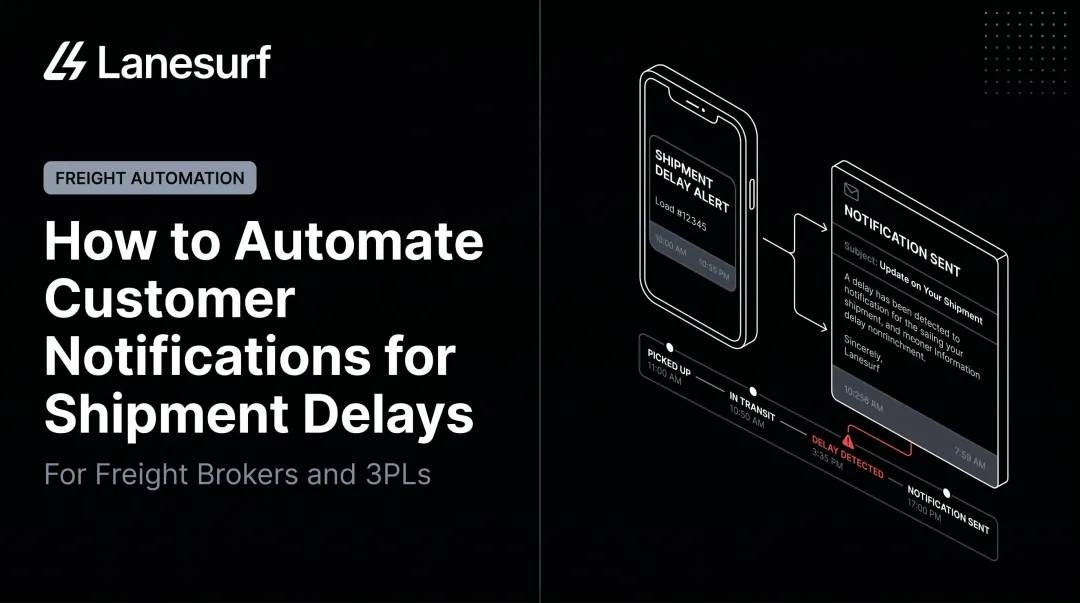
Automated ETA alerts flip the information flow. Instead of a shipper calling an unprepared broker who is also in the dark, the broker receives an alert first — with enough context to reach out to the shipper proactively, explain the situation, and present a plan.
Brokers who receive alerts first can set expectations, adjust dock schedules, and protect the relationship — rather than explaining after the fact why no one called.
LaneSurf automates this process end-to-end, handling check-calls and load status updates via both voice and text without requiring reps to manually dial drivers across a full board of active loads.
How Freight Tracking Platforms Generate ETA Alerts
Data Inputs That Power ETA Calculations
ETA calculations draw from multiple data streams simultaneously:
- GPS telemetry from carrier ELD devices or mobile apps — provides current position and movement
- Traffic data — real-time road conditions affecting travel time
- Weather feeds — weather-related delays on active routes
- Historical lane performance — how long similar loads on the same lane typically take
- Carrier behavior patterns — specific carrier's historical on-time performance

Platforms combine these inputs to produce a dynamic ETA that updates continuously as conditions change — not a static estimate set at booking.
ELD-Based vs. App-Based Tracking: What Brokers Need to Know
The FMCSA's ELD rule mandates electronic logging for HOS compliance, but the rule does not require real-time vehicle tracking, and ELDs record only general proximity to the nearest city or town for enforcement purposes. Real-time tracking via ELD is a business-layer integration — not a regulatory requirement — and specific exemptions (including short-haul drivers and pre-2000 vehicles) mean ELD coverage isn't universal.
App-based tracking fills gaps where ELD telemetry isn't available. Trucker Tools reported their driver app delivers location updates every 5–15 minutes, with coverage across 165,000 carriers. Descartes MacroPoint notes that combining ELD and mobile tracking improves both coverage and carrier compliance.
Neither method covers every carrier in a diversified brokerage's network. Platforms that support multiple tracking methods — with manual check-in fallback — provide the most reliable coverage across a mixed carrier base.
Alert Triggering Logic and Threshold Configuration
Most platforms allow brokers to configure deviation thresholds — for example, trigger a late alert only when projected arrival exceeds the appointment by 30 minutes or more. This configuration matters. A platform without adjustable thresholds either creates constant noise (alerting on minor deviations) or misses real problems (alerting too late).
That flexibility extends to the load level. Per-load or per-lane threshold configuration lets brokerages apply tighter monitoring to high-value accounts and looser monitoring to standard freight.
Alert Delivery and TMS Routing
Modern platforms push ETA alerts through multiple channels:
- Email and SMS for direct notification
- Webhook or API into the broker's TMS
- In-platform notification dashboards
For high-volume brokerages, webhook and TMS integration is the most operationally practical option. A standalone dashboard that sits on a separate screen creates friction — and alerts get missed.
AI and ETA Accuracy
FourKites published 91% ETA accuracy within a one-hour arrival window and 97% within a six-hour window for a customer use case. Project44 reported a 28 percentage point improvement in truckload ETA accuracy following updates to their prediction engine in 2025.
These improvements come from volume and iteration. Platforms that process large shipment data sets across specific lanes and carriers build more accurate predictive models over time. A platform new to a lane will be less accurate than one with two years of historical data on that same corridor.
Key Features to Look for in a Freight Tracking Platform With ETA Alerts
Configurable Alert Thresholds and Notification Routing
A platform without customizable delay thresholds will either under-alert (missing real problems) or over-alert (creating noise that trains brokers to ignore notifications). Look for:
- Per-load and per-lane threshold configuration
- Ability to route alerts to specific team members based on account or load type
- Option to configure direct shipper-facing notifications for high-priority accounts
Carrier Network Breadth and Tracking Method Flexibility
No single tracking method covers all carrier types. Evaluate whether the platform supports:
- ELD integration for carriers with connected devices
- Mobile app tracking for owner-operators and smaller fleets
- Manual check-in fallback for carriers who won't opt into either
LaneSurf takes a different approach by using AI-driven voice and text contact to collect ETA and status directly from drivers. This method works regardless of whether a carrier has ELD connectivity or uses a particular tracking app, making it useful across a mixed carrier base that includes spot market carriers and owner-operators.

TMS and Workflow Integration
A tracking platform that requires brokers to monitor a separate dashboard adds work rather than removing it. Evaluate:
- Native API integrations with your specific TMS (not just generic API availability)
- Whether alerts surface inside existing dispatch workflows
- Implementation timeline — LaneSurf completes TMS integration in under 10 days, with a fast-start Excel load file option so automation begins immediately
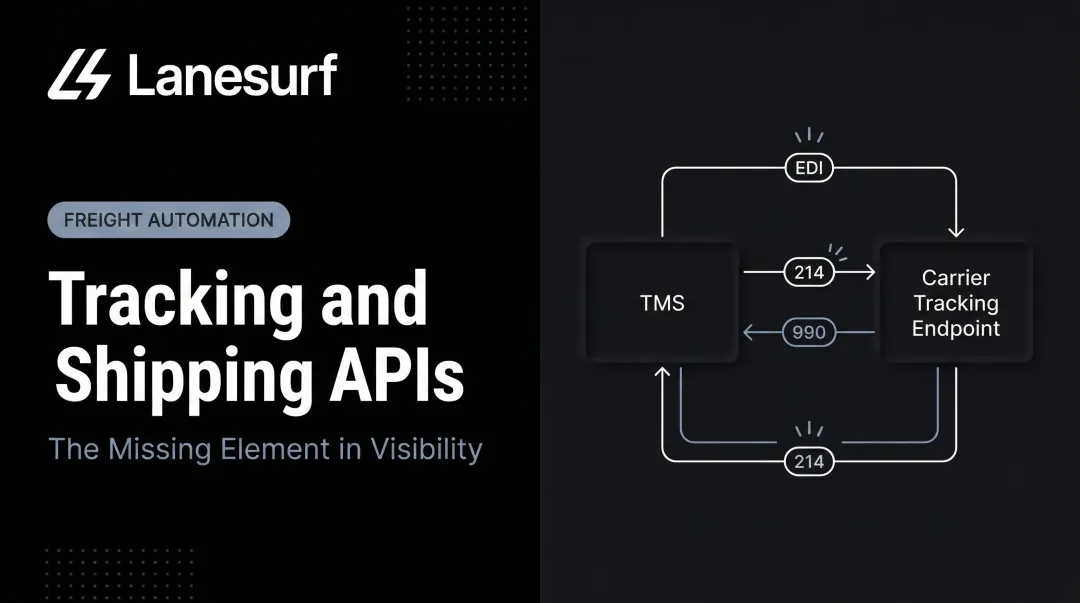
LaneSurf integrates natively with McLeod, MercuryGate, Tai, Turvo, Revenova, Aljex, and Tailwind, plus EDI 214 status update messaging for automated in-transit tracking handoffs.
Automated Carrier Communication
The most capable platforms now eliminate the check-call entirely through AI-driven outreach. Rather than waiting for GPS pings, the system contacts drivers directly to collect status, verify delays, and capture root-cause context.
LaneSurf's AI check-call automation handles scheduled and rule-based driver check-ins via voice and text, covering:
- ETA confirmations and in-transit status updates
- Delay verification with root-cause capture
- Automatic escalation to the right team member with full context
No rep involvement required until an exception actually needs action.
Analytics and Carrier Performance Reporting
Beyond individual load alerts, evaluate whether the platform provides:
- Lane-level on-time performance data
- Carrier reliability scoring
- Delay pattern analysis across time periods and carriers
This data allows brokerages to make smarter carrier selection decisions and build more accurate ETAs into shipper commitments from the start — reducing the frequency of late notifications that require proactive outreach in the first place.
How to Choose the Right Freight Tracking Platform
Start With Load Volume and Carrier Mix
A brokerage running 50 loads per week has different platform requirements than one running 500. The right questions:
- What percentage of your carriers are asset-based vs. owner-operators vs. spot market?
- Does the platform's tracking method work across that carrier mix?
- At your load volume, does the platform's pricing model make sense?
LaneSurf is built for mid-market to enterprise brokers where load volume makes automation ROI measurable — typically brokerages running hundreds of loads per week across mixed carrier types.
Evaluate Integration Depth Before Cost
A low-cost platform that requires manual monitoring negates the efficiency gain. Ask vendors directly:
- Does the platform push ETA alerts into your TMS natively, or does it require a separate dashboard?
- What is the average implementation timeline, and is there a fast-start option?
- Does it require middleware, or is the integration direct?
Platforms that don't push data into your TMS force brokers back to manual monitoring — defeating the purpose. Prioritize vendors with documented integrations for your specific TMS, not just generic API claims.
Pilot Before Full Rollout
Once you've confirmed integration fit, don't deploy across your entire load board on day one. A structured pilot reduces rollout risk:
- Instrument one high-volume lane — pick a route where you have consistent carrier relationships and reliable data
- Run for 30–60 days — measure alert accuracy, broker time saved per rep, and delay notification lead time
- Build the business case — use pilot data to justify full deployment internally and quantify ROI per load

Pilot data also gives you leverage in vendor negotiations — concrete accuracy numbers and time-savings metrics are far more persuasive than vendor benchmarks when building the internal case for full deployment.
Frequently Asked Questions
What are ETA alerts in freight tracking?
ETA alerts are automated notifications from a freight tracking platform that flag when a shipment is projected to arrive late, on time, or has deviated from its expected route. Unlike static estimated arrival times entered at booking, ETA alerts update continuously based on real-time data throughout the load's lifecycle.
What freight tracking platforms offer real-time tracking?
Real-time transportation visibility platforms (RTTVPs) — including Trucker Tools by DAT, Descartes MacroPoint, FourKites, and project44 — provide real-time location and status data. The key differentiator is whether the platform produces dynamic, recalculating ETAs or simply delivers static location pings.
How do automated ETA alerts reduce manual work for freight brokers?
Automated alerts eliminate the need for brokers to call carriers manually for status updates. The platform monitors active loads continuously and notifies the broker — and optionally the shipper — when a deviation or delay is detected, replacing 1–2 hours of daily check-call time per rep.
What features should freight brokers look for in a tracking platform?
Three features matter most:
- Configurable delay thresholds to control alert sensitivity without noise
- Native TMS integration for direct alert routing into your workflow
- Broad carrier network coverage with ELD, mobile app, and manual check-in fallback
How accurate are ETA predictions in freight tracking software?
Accuracy varies by platform and data volume. FourKites reported 91% accuracy within a one-hour arrival window; project44 reported a 28-point improvement in truckload accuracy in 2025. AI-driven platforms improve over time as shipment volume and historical lane data accumulate.
Can freight tracking platforms integrate with a TMS?
Most enterprise-grade platforms offer TMS integration via API or webhook. Verify native integration with your specific TMS before purchase — generic API availability is not the same as a documented, tested connection. Middleware dependencies add cost and create failure points.