
Introduction
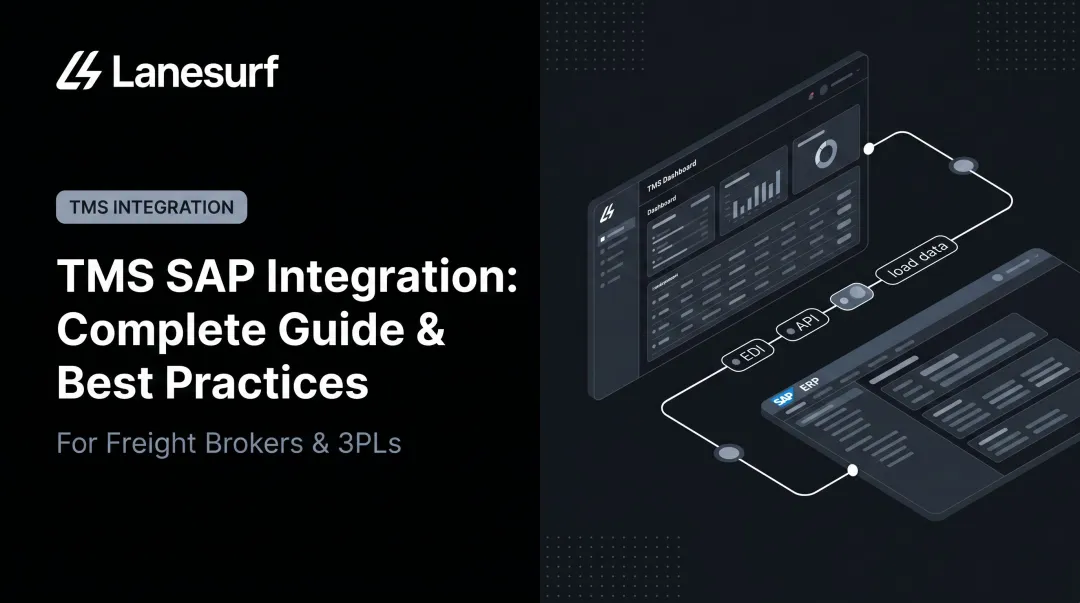
TMS API integration is not a plug-and-play setup. It requires working knowledge of REST protocols, OAuth authentication flows, entity mapping, and data synchronization strategies — and gaps in any of those areas will surface quickly in production.
The developers who should be building these integrations: engineers with REST API experience and logistics tech teams who understand how freight brokerage data actually flows. Hand this to a generalist who hasn't worked with event-driven systems before and you'll pay for it in debugging time.
This guide covers authentication patterns, webhook configuration, entity mapping, rate limit handling, and sync strategies. First, here's what breaks when any of those are handled carelessly:
- Mismatched data schemas between the TMS and external system cause silent mapping failures
- Expired auth tokens break live syncs at the worst possible moment — usually during a high-volume period
- Missed rate limits create load status gaps that ops teams only discover after a carrier check-call fails
- Webhook endpoints that silently stop receiving events because the TMS stopped retrying after repeated 5xx responses
According to FreightWaves research from 2025, 46% of freight brokerages cited fewer errors and reduced fraud as a direct benefit of automation — which only works if the underlying integration is accurate.
TL;DR
- TMS API integration connects freight management systems (load tracking, carrier data, driver compliance) with external platforms using REST APIs and event-driven architectures
- Three integration patterns cover most use cases: polling for batch sync, webhooks for event-driven updates, and streaming for high-frequency data like GPS
- Core entities to sync: loads/routes, drivers, carriers, addresses, and compliance logs
- OAuth 2.0 is the most common auth method, but grant types vary by vendor — test auth in sandbox before any entity sync work
Key TMS Data Entities to Sync via API
A successful TMS API integration starts with knowing which data entities need to flow between systems and in which direction. Some are bidirectional; others are one-way pulls only.
Core Entities for Freight Brokers
Loads and routes are the highest-priority entity to get right. REST operations needed: create, update, assign driver/carrier, track progress, and close out. Two-way sync is non-negotiable: dispatchers working in an external system that lags the TMS are effectively working blind.
Drivers require identity data, HOS availability, and vehicle assignment to stay synchronized. Out-of-sync driver records break compliance logging and dispatch accuracy simultaneously. A driver flagged available in your external system but already assigned in the TMS creates double-dispatch risk.
Carriers and vehicles mean syncing carrier identity, vehicle location, and trailer assignments. GPS and telematics data is typically a one-way push from the TMS or telematics provider to the external system. You pull it; you never write back to it.
Addresses and stop locations deserve dedicated API management. Sending freeform address strings on every route request instead of managing known locations via the API reliably produces geocoding errors and inconsistent stop data across routes.
Supporting Entities
| Entity | Direction | Pattern |
|---|---|---|
| HOS / ELD compliance logs | One-way pull | Polling before dispatch |
| BOL / POD / inspection reports | One-way inbound | Event-driven (form submission) |
| Rate market data | One-way pull | Polling or on-demand |
HOS data is read-only from the integration's perspective. You query driver availability before dispatching — you never write HOS records back to the TMS. FMCSA regulations under 49 CFR Part 395 require motor carriers to retain ELD record-of-duty status data for six months, which matters when your integration needs to pull historical compliance records.
BOL, POD, and inspection reports submitted through driver mobile apps are event-driven. They trigger on submission, not on a polling schedule. Building a polling loop for these wastes API calls and still introduces latency.
Choosing the Right TMS API Integration Pattern
The right pattern depends on entity type, required update latency, and your infrastructure capacity. The three core approaches — polling, webhooks, and streaming — each serve different data types, and most production integrations use all three in combination.
Polling (Batch Sync)
The integration client makes scheduled API requests at fixed intervals to retrieve updated records. Appropriate for:
- Initial data loads (pulling all drivers, carriers, and addresses on first sync)
- Low-frequency updates like driver roster changes
- Compliance log retrieval before dispatch windows
Short polling intervals can approximate real-time behavior, but they burn through rate limits fast — especially during high-volume periods when webhook processing is running concurrently.
Webhooks (Event-Driven)
The TMS pushes a payload to your registered endpoint when a specific event fires: route stop arrival, form submitted, driver updated. This is the preferred pattern for load status updates. Setup requirements:
- Register HTTPS endpoint URLs with the TMS
- Implement payload signature validation on receipt
- Return HTTP 200 immediately, then process asynchronously
- Handle retries: Turvo's documentation, for example, specifies up to 3 retries at 30-second intervals on timeout
Asynchronous processing matters. If your endpoint takes too long to respond, the TMS treats it as a failure and retries — under sustained load, that compounds into a flood of duplicate requests.
Streaming (High-Frequency Data)
Kafka or equivalent pub/sub infrastructure handles data that updates too frequently for webhooks or polling — specifically GPS position and HOS clock updates. Confluent's supply-chain streaming documentation covers the architectural patterns well. Streaming requires more infrastructure investment and is typically reserved for telematics-heavy integrations.
Pattern Decision Matrix
| Entity | Recommended Pattern | Notes |
|---|---|---|
| Loads / routes | Webhooks | Near-real-time status critical |
| Drivers | Polling | Roster changes are low-frequency |
| GPS / telematics | Streaming | Too frequent for webhooks |
| Forms (BOL, POD) | Webhooks | Event-triggered on submission |
| Compliance / HOS | Polling | Pull before dispatch window |

How to Build a TMS API Integration: Step-by-Step
Skipping sandbox testing or entity mapping before writing sync logic leads to data corruption and production failures that are difficult to debug. Follow this sequence exactly.
Prerequisites and Access Setup
Before writing a line of integration code, confirm:
- OAuth 2.0 credentials (client ID, client secret, token URL) or your vendor's auth method — grant types differ: MercuryGate uses OAuth2 Authorization Code with PKCE; Turvo uses a password grant flow
- Correct API scopes for all required operations
- Access to a sandbox or test environment
- The specific TMS API version being targeted (McLeod's Qued APIs, for example, are built on OAS 3.0)
Non-negotiable: never develop directly against a production TMS environment. Accidental writes to live load records are extremely difficult to recover from.
Building the Integration
Step 1 — Authenticate
Implement the token fetch per your TMS vendor's documented OAuth flow and store the access token securely. Build token refresh logic before expiry — do not hardcode tokens. Turvo tokens expire after 12 hours with refresh tokens valid for 30 days; check your specific vendor's documentation for exact values.
Step 2 — Map entities bidirectionally
Before syncing any data, fetch existing entities from the TMS and map them to corresponding records in the external system. Store the TMS-assigned ID in the external system, and write a TMS-specific external ID back to the TMS record. Skip this step and you will create duplicates on every subsequent sync.
Step 3 — Implement REST sync per entity
For each entity type, implement the required CRUD operations using the TMS REST endpoints. Prioritize load/route sync first — it's the highest-frequency operation in freight brokerage workflows. All write operations must include idempotency handling.
Step 4 — Register webhook endpoints
For event-driven entities, register your HTTPS endpoints with the TMS. Implement payload signature validation. Return HTTP 200 immediately, queue the payload, process asynchronously.
Step 5 — Validate before going live
- Create a test load in the TMS → verify it appears correctly in the external system
- Trigger webhook events in sandbox → confirm receipt and processing
- Simulate token expiry → confirm refresh logic fires correctly
- Simulate HTTP 429 → confirm backoff and retry logic engages

Common TMS API Integration Problems and Fixes
Most TMS integration failures fall into a handful of repeatable patterns. Here are the three most common — and how to fix each one.
Silent Webhook Failures
Webhook events stop arriving with no obvious error in logs. The TMS likely stopped retrying after repeated 5xx responses from your endpoint, or the registered URL changed after a deployment.
Implement a webhook health check: periodically query the TMS for recent events and compare against your received payload log. Log every incoming webhook with event type and timestamp, and alert on gaps exceeding your expected event frequency.
Duplicate Entities After Re-sync
Re-running the initial sync creates duplicate drivers, carriers, or addresses in one or both systems. This happens when external IDs weren't stored bidirectionally during the first sync — the system can't identify existing records and creates new ones instead.
Enforce external ID storage on both sides as part of the initial sync logic. Add a lookup-before-create step to all entity write operations: check whether the record exists before posting a create request.
Rate Limit Violations Causing Data Gaps
Load status updates start failing silently during high-volume periods, creating stale data downstream. The usual culprit: polling intervals are too aggressive, or a large batch sync is running concurrently with real-time webhook processing and exhausting the rate limit.
RFC 6585 defines HTTP 429 Too Many Requests — responses may include a Retry-After header. Use that header alongside exponential backoff with jitter to avoid synchronized retry bursts. Separate batch sync jobs from real-time event processing using a queue.
Pro Tips for Building Robust TMS API Integrations
Pro Tips for Building Reliable TMS API Integrations
Maintain strict environment separation. Use the TMS sandbox for all development and QA. Require a documented sign-off checklist before promoting to production:
- Auth credentials verified and token refresh confirmed
- Entity mapping tested against real carrier and load records
- Webhooks validated end-to-end with simulated event payloads
- Rate limit handling tested under realistic request volume
The cost of skipping this is real. Gartner's data quality research puts the average organizational cost of poor data quality at $12.9M per year. That's an enterprise-wide figure, but in freight brokerage, stale or corrupted load records translate directly to missed bookings and carrier disputes.
Document every integration touchpoint. Record each endpoint used, the direction of data flow, the triggering condition (polling schedule or webhook event), and the expected payload schema. This documentation earns its value the moment the TMS releases an API version update or a new developer joins the team.
The integration layer is the foundation everything else runs on. Platforms like LaneSurf build AI-powered carrier call automation, parallel rate negotiation, and load management on top of these integration layers, connecting to TMS platforms including McLeod, MercuryGate, Tai, Turvo, Revenova, Aljex, and Tailwind in under 10 days.
None of that automation functions reliably when the underlying API sync has data gaps, expired tokens, or duplicate entity records. A clean integration layer is what makes the automation above it predictable.
Frequently Asked Questions
What is API in TMS?
An API in a TMS is the set of endpoints that allow external software to programmatically read and write transportation data — loads, driver status, carrier assignments — without manual data entry or file exports. REST APIs using JSON are the current standard; McLeod's OAS 3.0-based Qued APIs and Turvo's RESTful endpoints are representative examples.
What is the difference between API and EDI integration in a TMS?
EDI uses structured file-based data exchange on a scheduled basis and remains common in legacy carrier-shipper connections, using transaction sets like X12 204 (load tender), 990 (response), 214 (status), and 210 (invoice). API enables real-time, bidirectional data exchange over the web, making it better suited for live load tracking and real-time dispatch workflows.
What authentication method is used for TMS API integrations?
OAuth 2.0 is the most common framework, but grant types vary by vendor — MercuryGate uses Authorization Code with PKCE, while Turvo uses a password grant flow with 12-hour token expiry. Check your TMS vendor's auth documentation before building token management logic.
Should I use webhooks or polling to sync TMS load data?
Use webhooks for load status updates — route arrivals, departures, and form submissions — because they deliver near-instant notifications when events fire. Use polling for bulk entity syncs like driver roster updates or initial data loads where latency tolerance is higher and update frequency is low.
What data entities should I prioritize when building a TMS API integration?
Start with loads/routes and drivers — these are the highest-frequency, highest-impact entities for freight brokers. Follow with addresses and carrier/vehicle data, then layer in compliance logs and forms once the core sync is stable and tested.
How do I handle rate limiting in TMS API integrations?
Implement exponential backoff with jitter on HTTP 429 responses and check for a Retry-After header. Use a queue to separate batch sync jobs from real-time event processing so they don't compete for the same rate limit budget — and monitor usage against your provider's documented limits before you hit them.